SOFTWARE LICENCE DISTRIBUTION

UX Design/Web app

PORTL is the digital classroom and community center for Think Tank's remote students, bridging the gap between traditional schooling and the demands of the industry.

Think Tank Training Centre website

Think Tank Training centre portal

Background

The IT team is manually purchasing, keeping track of, and distributing software licences. This creates difficulties around budgeting, accounting and ensuring licences are granted and revokes according to the terms.

Multiple other faculty members are involved, which creates even more uncertaintly and support issues arise regularly.

Project Goal

Develop a system for semi-automatic software distribution by admin to students and faculty.

Enable anyone with access to be able to understand the workflow, purchase and distribute software licences with confidence.

INTRO


Duration

  • October-November 2025

Tools

  • Figma
  • Jira
  • Confluence
  • ChatGPT
  • Slack

Approach

  1. Problem definition
  2. User interviews
  3. Stakeholder interviews
  4. Rapid prototyping
  5. User testing
  6. High fidelity design
  7. Dev handoff/collaboration
  8. QA

MY ROLE


I lead the project execution from the concept to handoff. The brief was ambiguous, with many gaps, that required a lot of initiative on my part to identify and define. Here's what I did:
    Planning:
  • Involved an experienced team member, who has full context of how this feature currently fits into the school's processes. Together we outlined major steps and timeline to ensure the project is structured and can be completed on time.
  • Definition:
  • Conducted user inverviews with the IT team, who are the intended users of this feature to identify their needs and pain points.
  • Gathered infromation from the support and faculty to cover all use cases.
  • Obtained technical information from the development team, regarding what is possible within the tight timeline, and what technical need to be considered.
  • Prototyping
  • Created quick prototype based on the insights gathered up to this point.
  • Conducted user testing interviews with the IT team and discussed the findings and I consider the best approach with the PM and the dev team. Considering other features being built at the time was important at this step.
  • Iterated and created high-fidelity UI.
  • Handoff support
  • The handoff Figma document contained all information needed for the engineers to implement the feature. At this step I was always available to clarify any interactions or update inconsistencies. So the design serves as the latest documentation for the feature alongside Confluence documentation and Jira tickets.
  • QA
  • The team was small, so all of us were responsible for QA. I made sure to keep track of everyone's feedback and ensure the designs and the live product are updated.

A CLOSER LOOK


Jobs to be done

Students:
  • Need to have easy access to all software keys required to study for the current term.
Faculty:
  • Need to be able to use the same software as their students.
  • Be prepared ahead of the term start.
Admin:
  • Should to be able to see if they need to purchase more keys for a particular software for a particular term (outside of PORTL).
  • After purchasing, easily bulk add keys to the portal and prepare them for distribution.
  • Issue purchased keys to students and faculty (alumni can be included here).
  • View, edit, create new software with details and key format.
  • Remind a user if a payment is pending.
  • Revoke keys.
  • Receive confirmation of the software activation by the user.

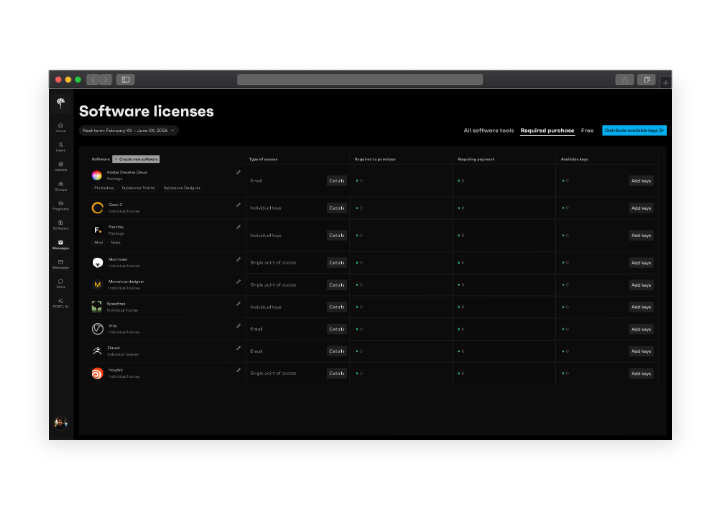
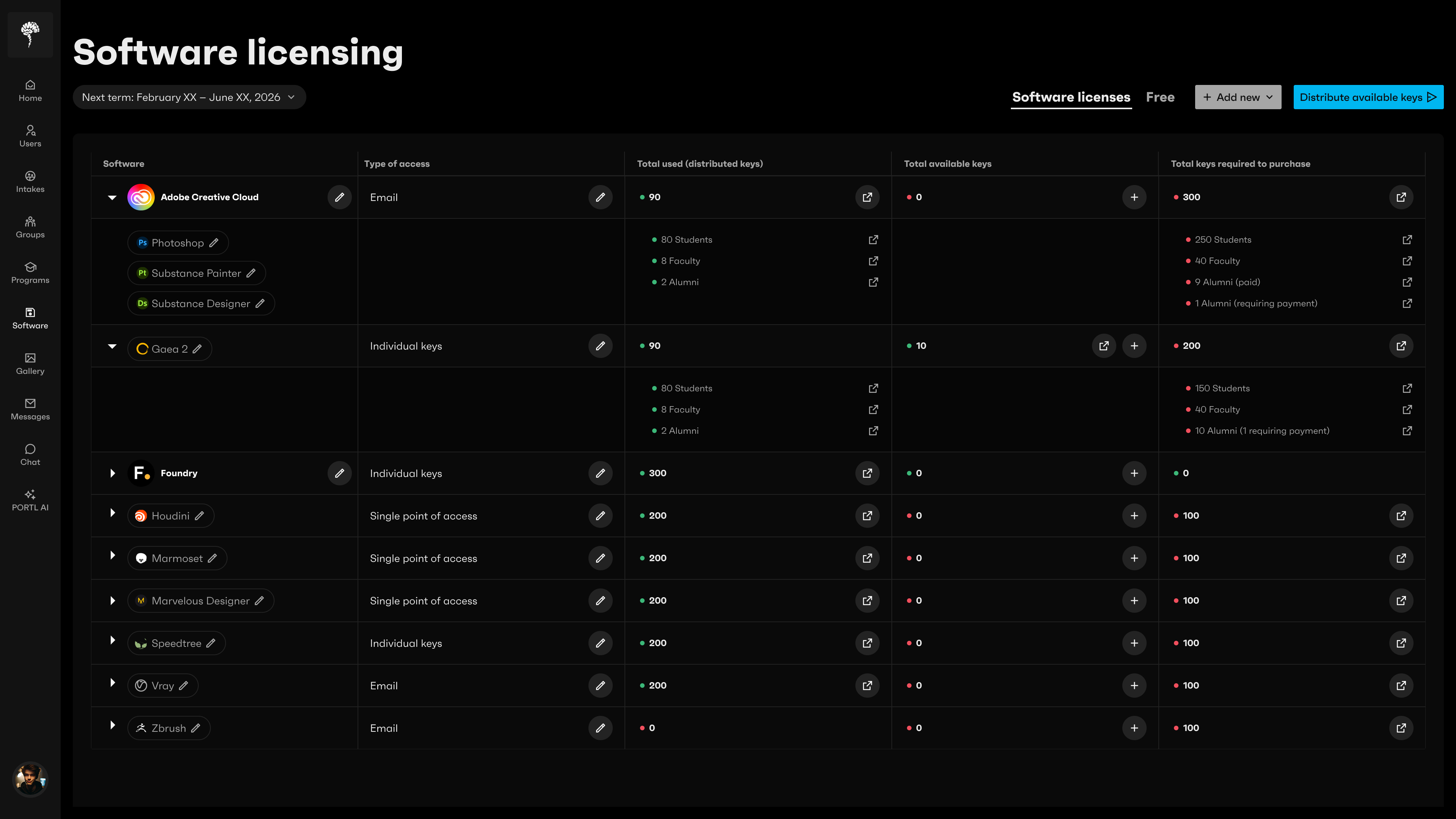
Main Admin view (click the image to zoom in)


Columns reflect what the JTBD are:

  • Software—has a list of software packages and allows to edit/delete each software (each has multiple parameters that help avoid duplication).
  • Type of access—reflects the way the software keys are distributed to the users, can be edited.
  • Total used—the number of already purchased and distributed keys. Admin can view a list of users that are currently using this software. For some software keys can be revoked, depending on the type of licence.
  • Total available keys—the number of purchased keys that are ready to be distributed. Admin can add more purchased keys, view list of users currently using the software, and are able to revoke the keys depending on the licence type.
  • Total keys required to purchase—is the number per each software, that the admin needs to buy directly from a distributor. Each item has a summary and multiple parameters

This is as much as I'm allowed to share, I'd be happy to do a walkthrough of a prototype.

TAKEAWAYS


Considering all moving parts

A feature had to be implemented in certain order to align with the backend development milestones.

It was important to be in touch with the engineers to ensure seamless fit with the established backend logic.

Team work

Involving team members who've been around a long time made a huge difference in how quickly the required knowldedge could be gathered, and considering the tight deadlines we were working under this was crucial.

Working with ambguity

Approaching this project with the user and business goals first in mind, the approach was clear: gather the collective knowledge, talk to people who will be using this feature. Everything else should fall into place, and if not we compromise and iterate to meet the goals.